Mic assignment,
TRACKED!
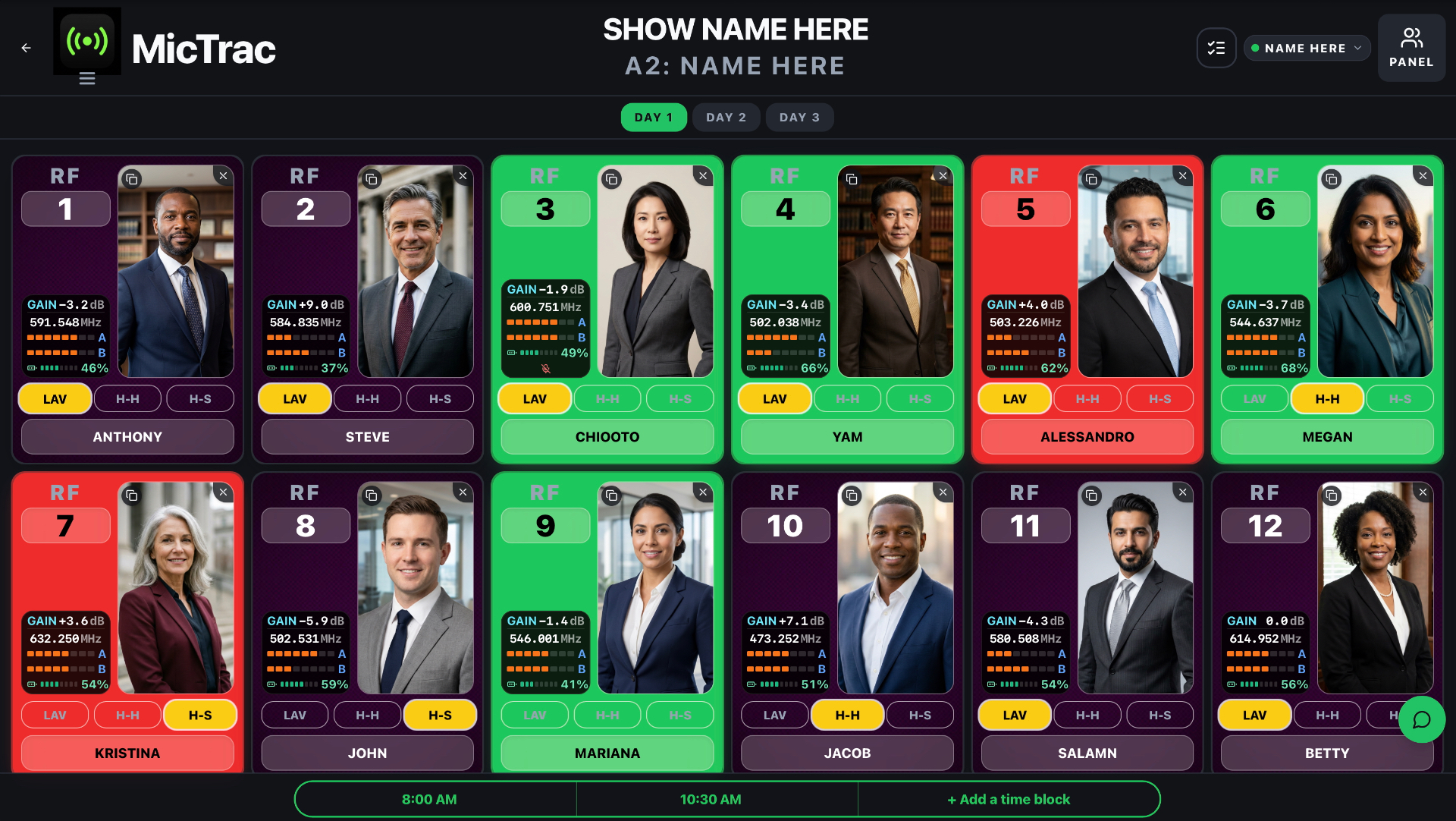
Assign RF mic channels to talent and attach a photo so viewers instantly know who's walking on stage. Stage managers see who's mic'd up and ready to go — every channel tracked in real time.
Free for 14 days. Cancel anytime.
How it works
From rack to stage in three steps.
No setup wizard, no training day. If you can run a show, you can run MicTrac.
- 01
Create your show
Add mic count, show days, and time slots in seconds. Drop in talent names and RF channels — or paste them from your Flow Sheet.
- 02
Share the board
Send a link or QR code to your A1, Stage Manager, and Show Caller. Viewers are unlimited and free — no login, no install.
- 03
Run the show
Tap cards to flip RED / GREEN. Snap a phone photo of the talent. Everything syncs live across every device in under a second.
Everything in one place
The tools you'll actually use before showtime.
Built for the pressure of scene changes, mic swaps, and last-minute channel reassignments.

Live mic grid
Every channel and assignment on one screen. Color-coded status you can read at a glance, even in a dark backstage.
A2 / viewer chat
Built-in chat window keeps the A2 and every viewer on the same page. Tap a mic channel and it instantly highlights across all viewer screens — no radio chatter, no missed hand-offs.
Phone photo uploads
Pair your phone to the app with a quick QR scan, snap a picture of the presenter, and it lands on the channel in seconds — synced live across every viewer.
Show Caller view
The Show Caller can pull MicTrac up on their multi-view monitor and know at a glance who's mic'd and on which channel — no guessing during a fast-moving cue stack.
Multi-day shows
Carry RF channel assignments, names, mic type, and photos across all show days.
Stage Managers
Stage Managers see at a glance who's mic'd up and ready to walk, so cues go out clean and nobody hits the deck cold.
One-tap red / green status
Tap a mic card to flip it between RED (not ready) and GREEN (ready). High-contrast colors readable from 10 feet away in a dark backstage — every change syncs to every viewer in under a second.
Time slots per day
Break each show day into named slots — Morning Keynote, Panel 2pm, Evening Gala. Status, presenter name, RF channel, and mic type can all be overridden per slot without touching the base assignment.
Public viewer link & QR
Share a read-only view of the board with a link or QR code. FOH, runners, and the SM open it on any phone or display — no login, no install, always live.
Panel view
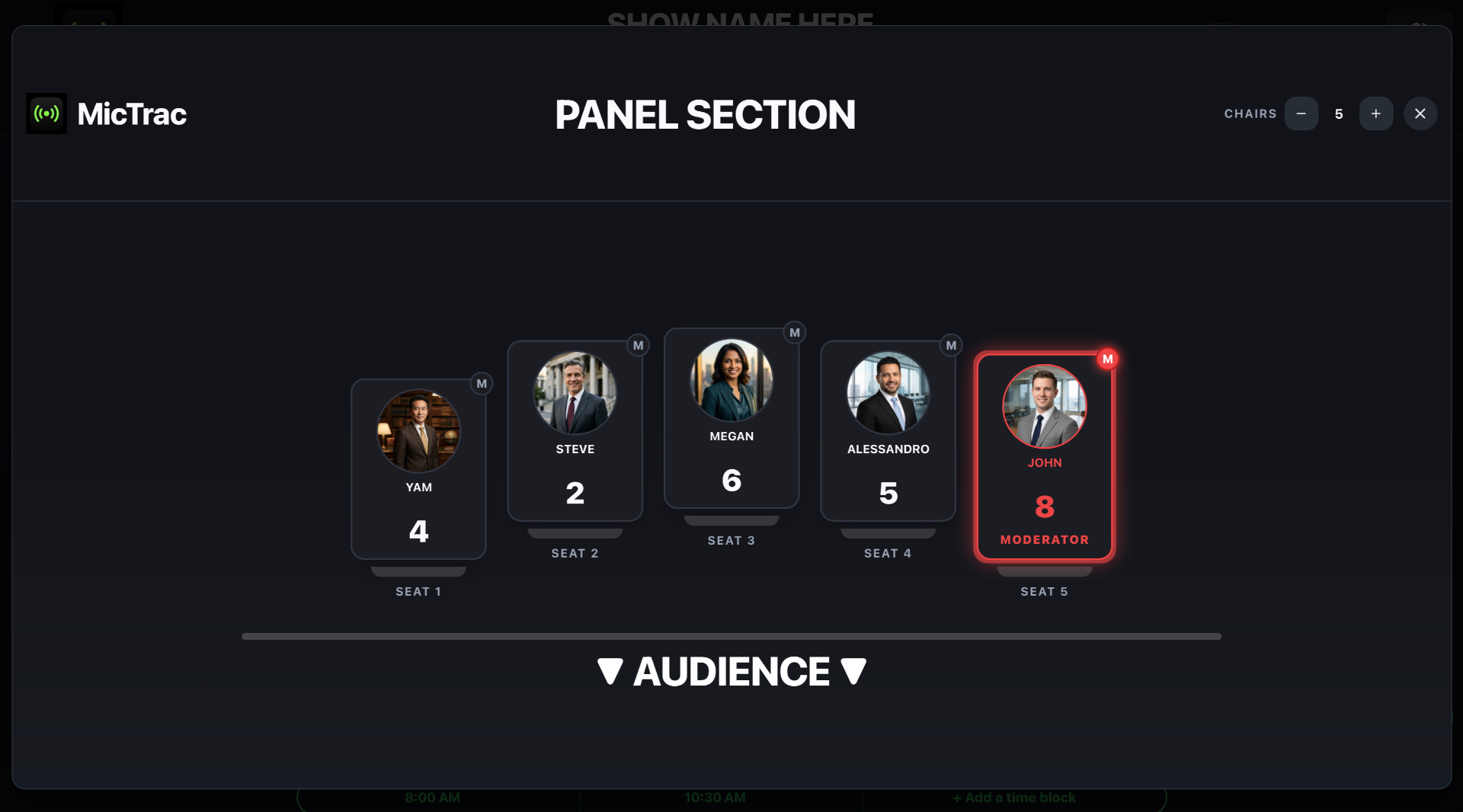
For moderated panels, lay out seats around a table and assign a mic to each seat. The whole panel reads at a glance instead of as a flat list of channels.
Built-in show clock
A big, bold digital clock lives right on the MicTrac display so your crew, Show Caller, and Stage Manager all see the same show time at a glance — no watches, no mid-cue 'what time is it?'.
Multi-View Ready
Pull MicTrac directly into your Barco E2, Analog Way Aquilon, or Blackmagic ATEM multi-view layout as a dedicated source. Your entire production team — Show Caller, Stage Manager — sees live mic status on the same monitor, no extra screens needed.
In your hand, on the floor
The whole rig, right in your pocket.
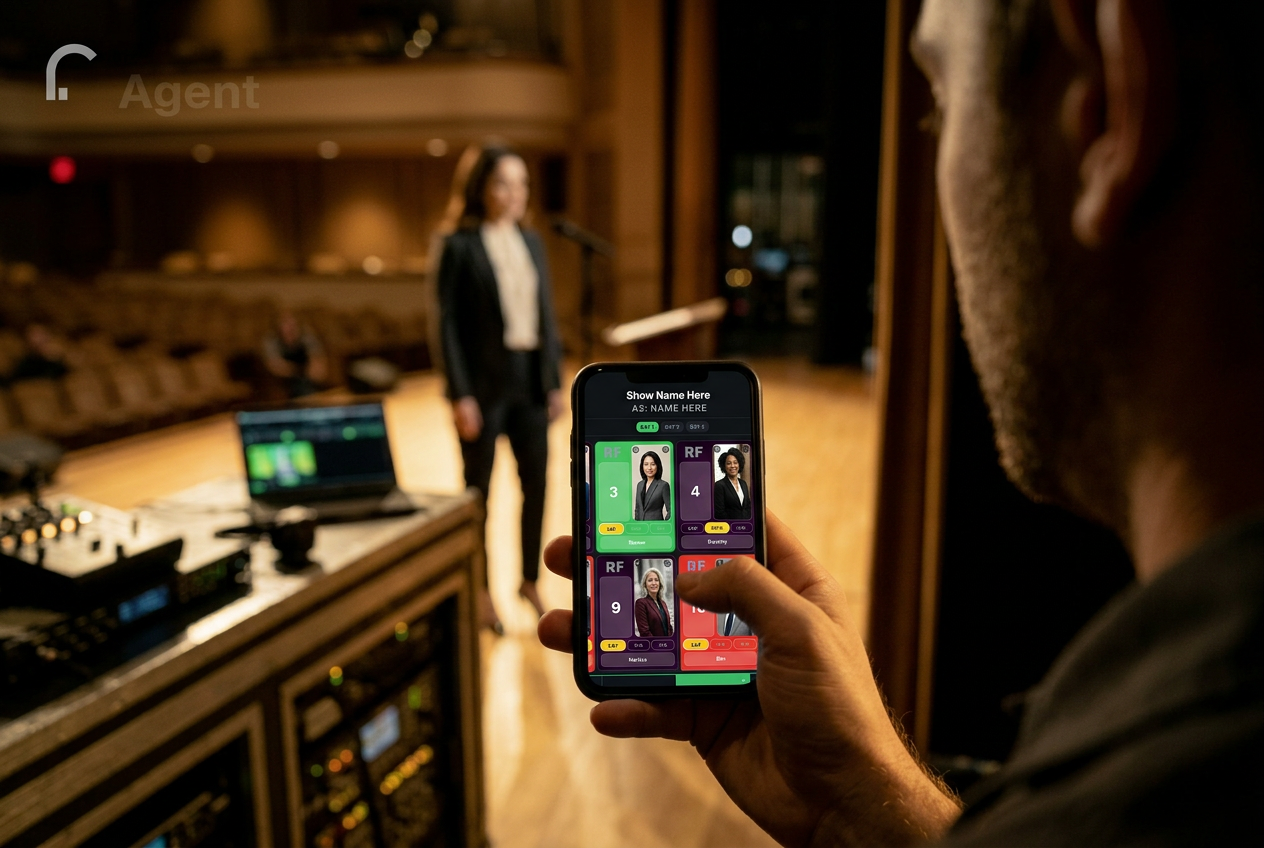
Walk the deck. Track the show.
MicTrac lives where you live during a show — in your hand, in the wings, three feet from the talent. Glance down and the active RF channel lights up green so you know exactly who's hot, who's next, and what pack is on which body.
No squinting on a Flow Sheet. No yelling over comms. Just tap a channel, see the talent, and keep moving.
Built for moderated panels
Panel view, with a red halo on the moderator.
Lay out seats on stage the way the panel actually sits. Each seat shows the talent's photo, name, and RF channel — and the moderator gets a red halo so the A1, SM, and Show Caller can spot them at a glance during a show.
Your Shure and Sennheiser racks, connected.
No other backstage tool does this. Drop the free MicTrac Link on any laptop on the same network as your receivers and battery %, RF bars, mute state, and frequency land on every mic card in real time — same card your A1, SM, and Show Caller are already watching.
Shure
Wireless Workbench compatible
- SLX-D
- ULX-D
- Axient Digital (AD)
- Axient
Sennheiser
Wireless Systems Manager compatible
- EW-DX
- Digital 6000
Battery %
87%
RF A / B
▮▮▮▮▯
Mute
LIVE
Frequency
542.375
Free download. Included with every MicTrac plan — no extra subscription, no per-receiver fee.
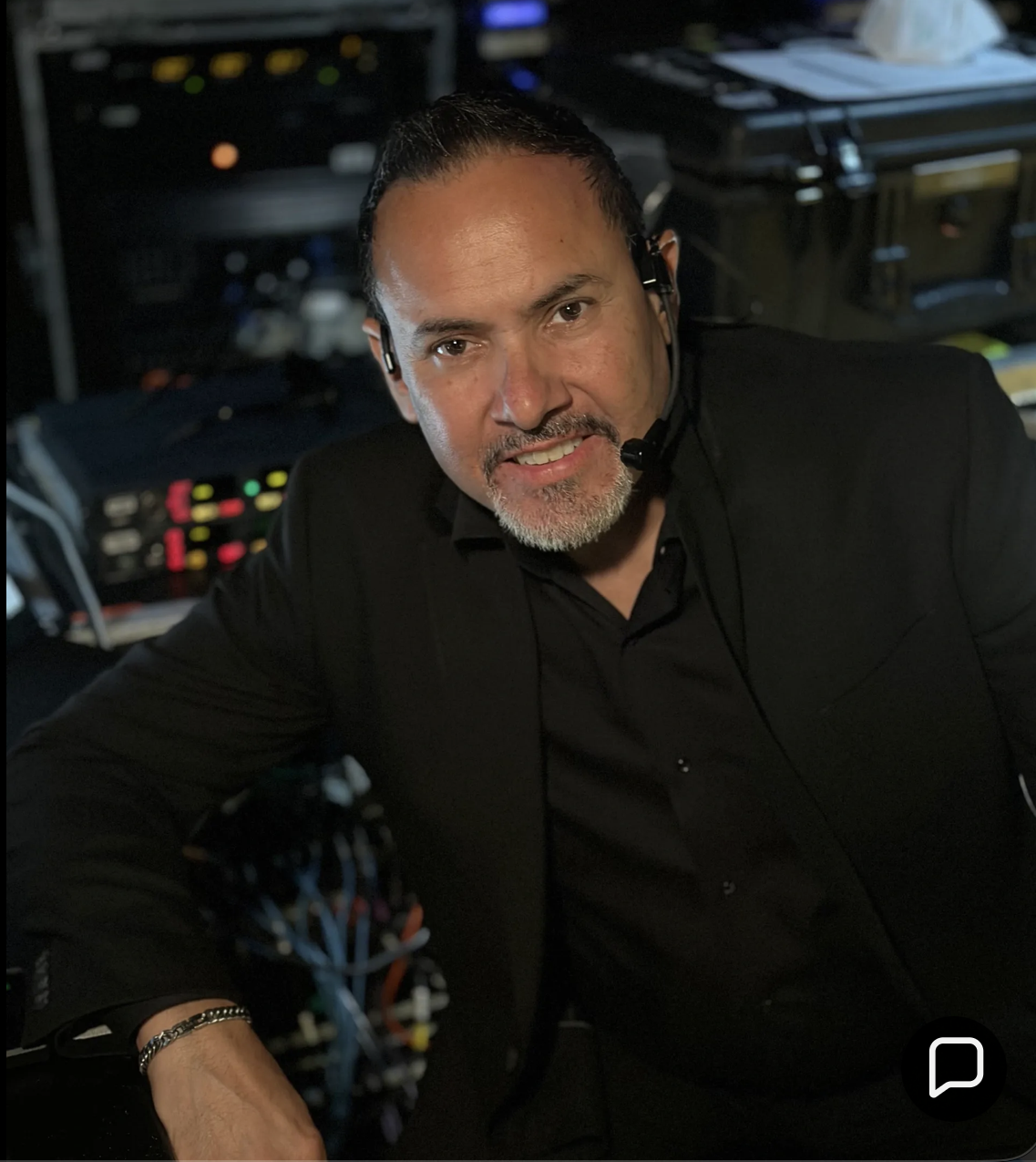
Built by an A1 — for an A2 and the whole team
Hi, I'm Fermin Velazquez.
I've spent 14 years as an A1 and A2 on live shows, corporate keynotes, broadcast, and panels. MicTrac is what was missing from every show I've ever worked — so I built it.
The A2 sets the channels — but the whole team wins. As an A1, I can glance at one screen and see whose card has turned green — meaning they're mic'd and ready — who's still red and waiting, and what mics are queued for the next transition. On a panel, I see who's sitting where and who the moderator is — no guessing.
And it's not just for audio. The Show Caller, Stage Manager, and Camera Director all see the same talent photo, name, and battery level in real time. No more cross-talk over comms while production is live.
Questions, feedback, or a feature request? fvxenterprise@gmail.com
From the field
What production teams are saying
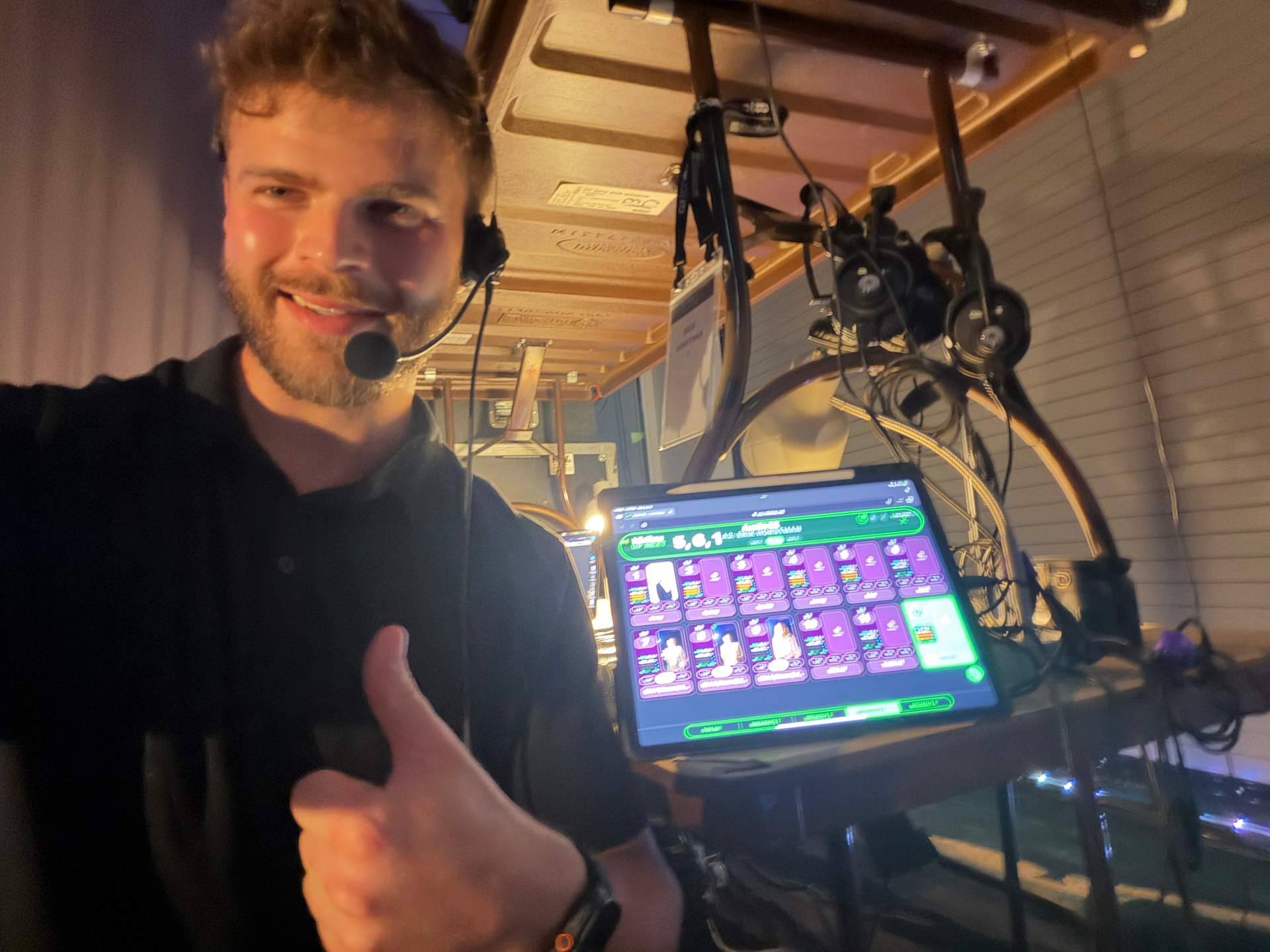
"I've had the opportunity to use MicTrac on several live corporate events, and it has quickly become one of those tools that you don't realize you need until you have it. The platform takes Shure control data and turns it into an incredibly intuitive, visual workflow by displaying microphone assignments alongside speaker photos, names, and custom notes. What would normally require constant communication between audio, video, stage management, and show calling teams becomes instantly accessible to everyone. The result is fewer mistakes, faster reactions, and a much more organized production environment."
"What impressed me most is how useful MicTrac is beyond the audio department. Show callers can instantly identify who is speaking next, PTZ camera operators can confidently frame the correct presenter, stage managers can track talent movement, and producers can view panel layouts and speaker information at a glance. On our shows, it became one of the most talked-about tools backstage, with everyone from camera operators to show callers relying on it throughout the day."
"CEOs love it too — I've seen them bring presenters backstage and fully understand what was going to happen during the production without saying more than a few words. This tool is changing the game."
Erik Horstman
A1 / A2 — Erik Hale Sound
Erik, thank you — that means everything coming from someone who's been in the trenches as long as you have.
The part about the CEO walking backstage and getting it without a word said? That's exactly why I built this. Hearing it actually landed in the room makes the late nights worth it.
Looking forward to the next show together, brother.
— Fermin, Founder
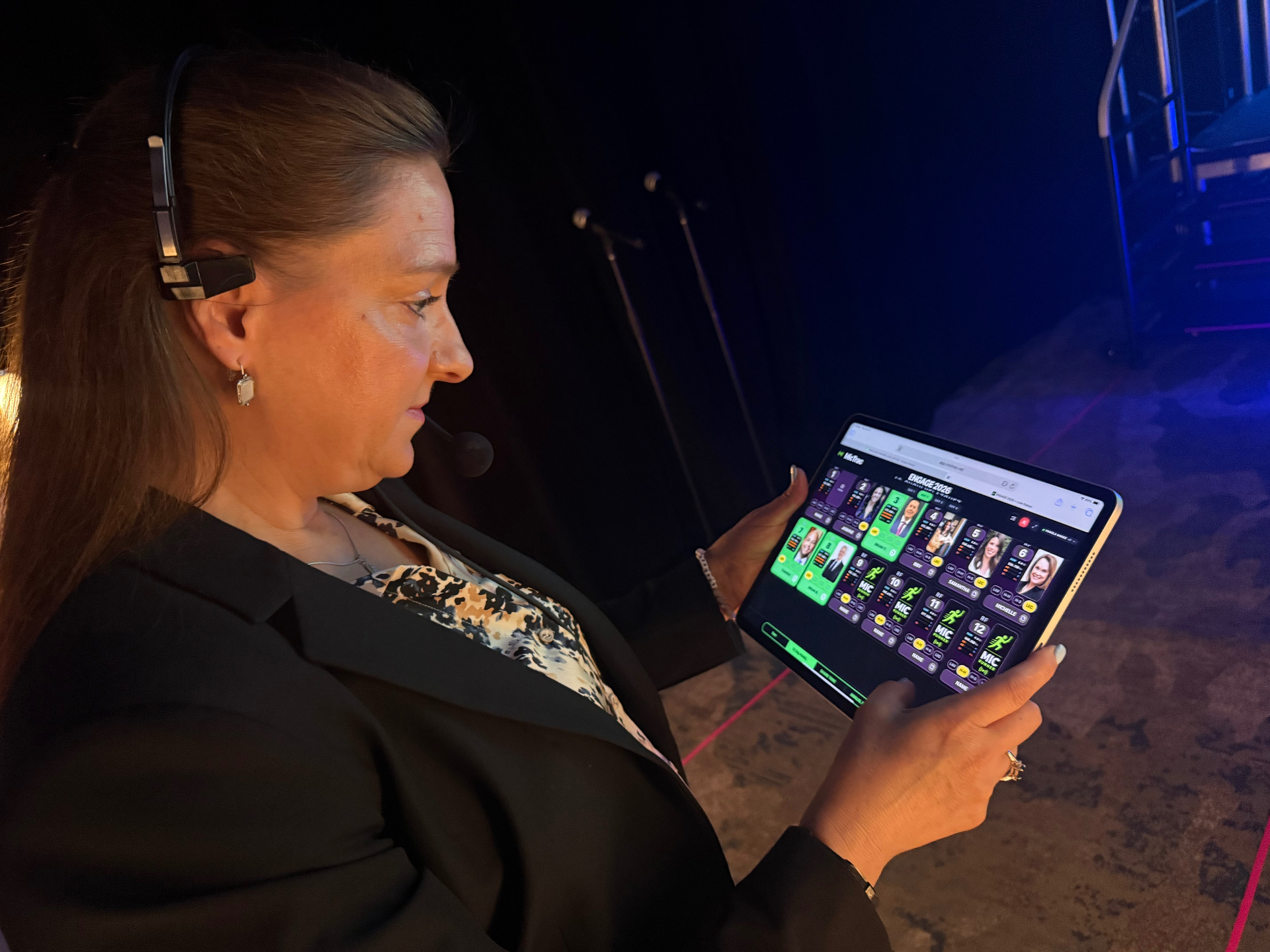
"As someone who manages large-scale corporate conferences, MicTrac is the kind of tool you didn't know you needed until you've used it. It gave our entire crew real-time visibility into every microphone on deck — it took the guesswork out of backstage coordination and made our event run noticeably smoother. On a corporate show where every minute counts and there's no patience for technical delays, that visibility gave me confidence that the right people were on the right mics at the right time — without having to chase the audio team for constant updates."
Pamela Rutherford
Director of Experiential and Events — Express Scripts, Inc.
Pamela, thank you for trusting MicTrac with your corporate event. Hearing that it helped the entire crew stay in sync means everything.
Events at your scale don't leave room for guesswork, and I'm glad the visibility we built gave you one less thing to worry about backstage.
— Fermin, Founder